Running a family kitchen is like running a small business. You're forecasting demand, managing inventory, controlling costs, juggling schedules, and shipping a finished product multiple times a day, every day, whether you feel like it or not. The complexity of feeding a family is often unseen and underappreciated.
We built Feed The Family to make your job easier. We want Feed The Family to be there helping you from the time you think "what should we eat next week" all the way through "that was delicious." Over the past few months, we've shipped the biggest set of updates the app has ever had. Over the next few weeks, we'll publish a post on each feature below, showing exactly how it works and how it can help you feed your family.
Here's what's new.
Recipes are now part of the app
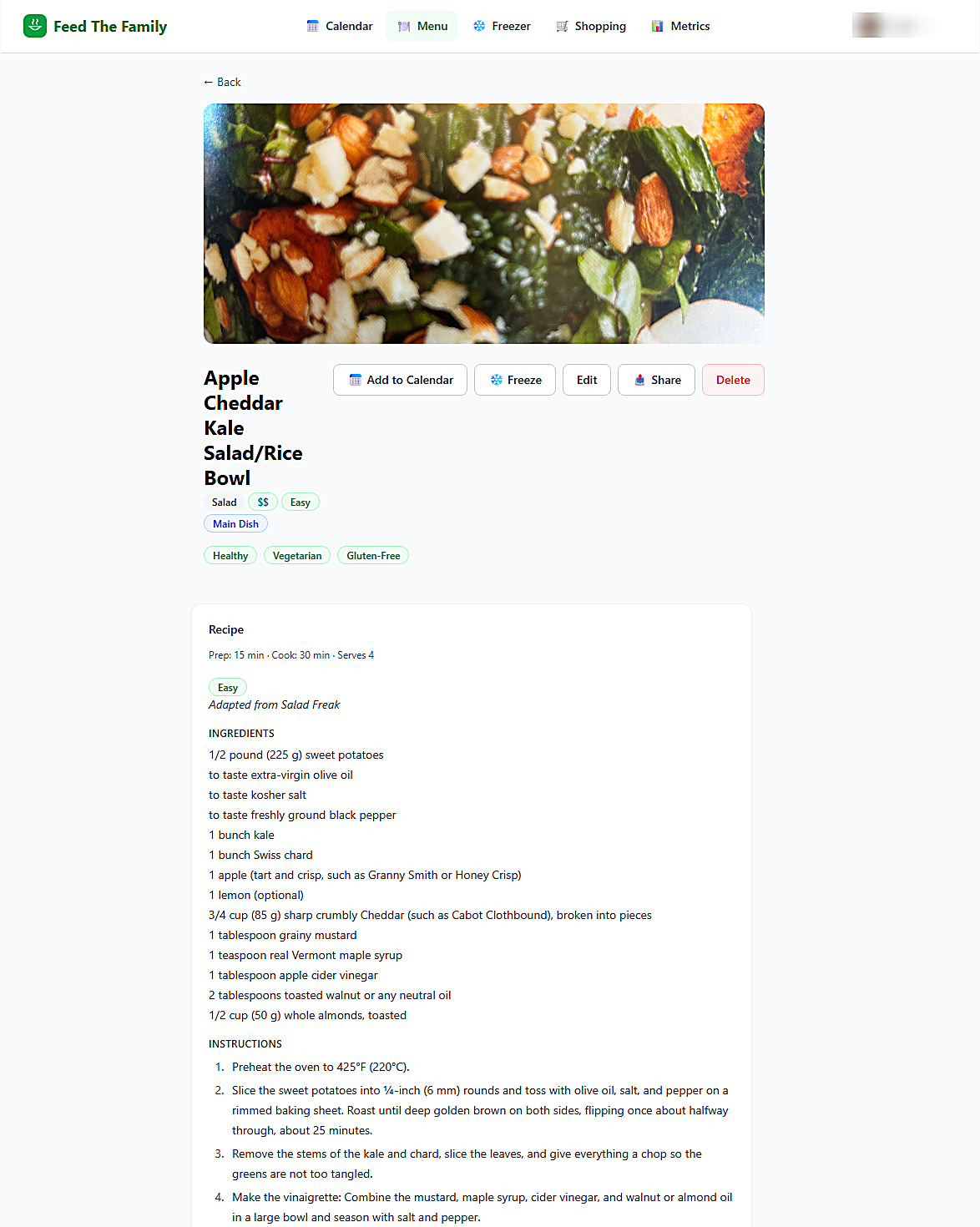
Menu items used to be just a title and a few tags, enough to schedule a meal, not enough to actually cook one. Now every menu item can carry a full recipe: ingredients, instructions, servings, prep and cook time, difficulty. You can see the recipe behind a meal, and you can edit it whenever you want.
This one isn't flashy on its own. But it's the foundation everything else in this post is built on.
Import a recipe from just about anywhere
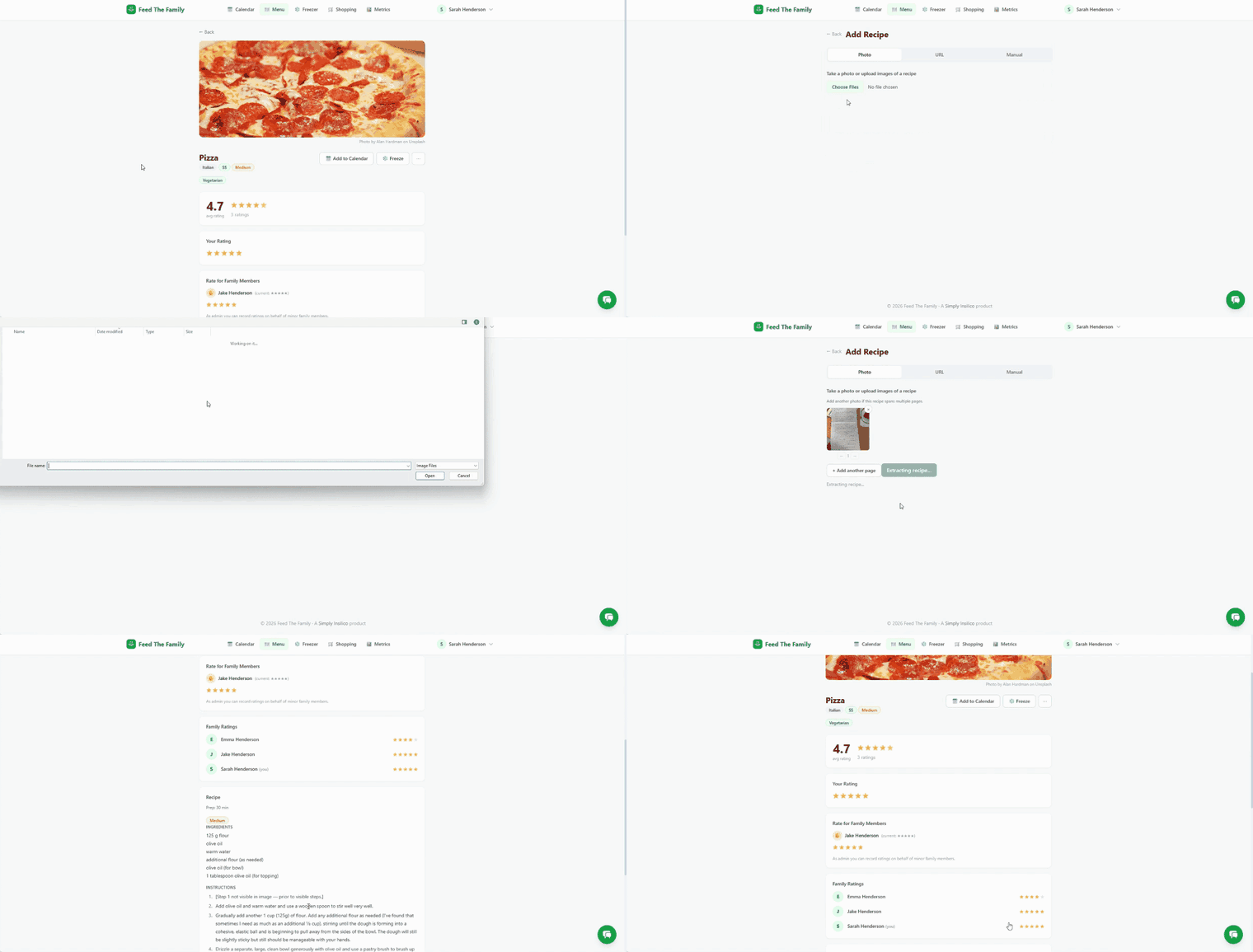
Typing recipes in by hand is the single biggest reason people give up on meal planning apps. So we made it possible to import a recipe from almost any source you've got: paste in text, drop in a link, or just snap a photo of a recipe card or a page in a cookbook. If you're coming from Paprika, you can import your existing recipe library directly.
Whatever the source, Feed The Family reformats it into the same clean, consistent structure so you don't have to hunt through a wall of text to find the ingredient list. And if the import gets something wrong, you can fix it before you save it.
Shopping lists that build themselves
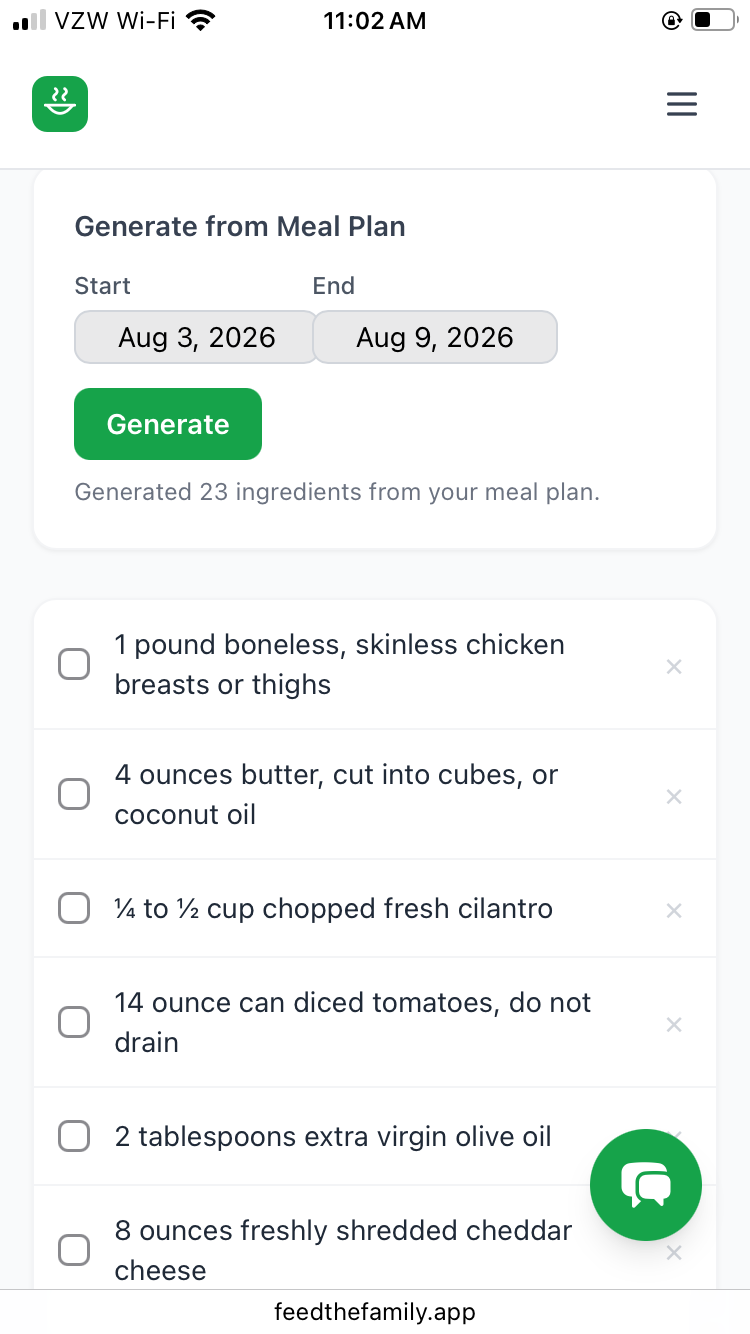
Because your meals now have real recipes attached, Feed The Family can generate your shopping list for you. Pick a date range, and it pulls every ingredient from every meal you've planned, combines duplicates, and hands you one list. Already have olive oil? Swipe it off. At the store, check items off as you go. We want this feature to help reduce your number of trips to the grocery story by having a complete list of what you need to execute your plan.
Metrics that show you your own kitchen
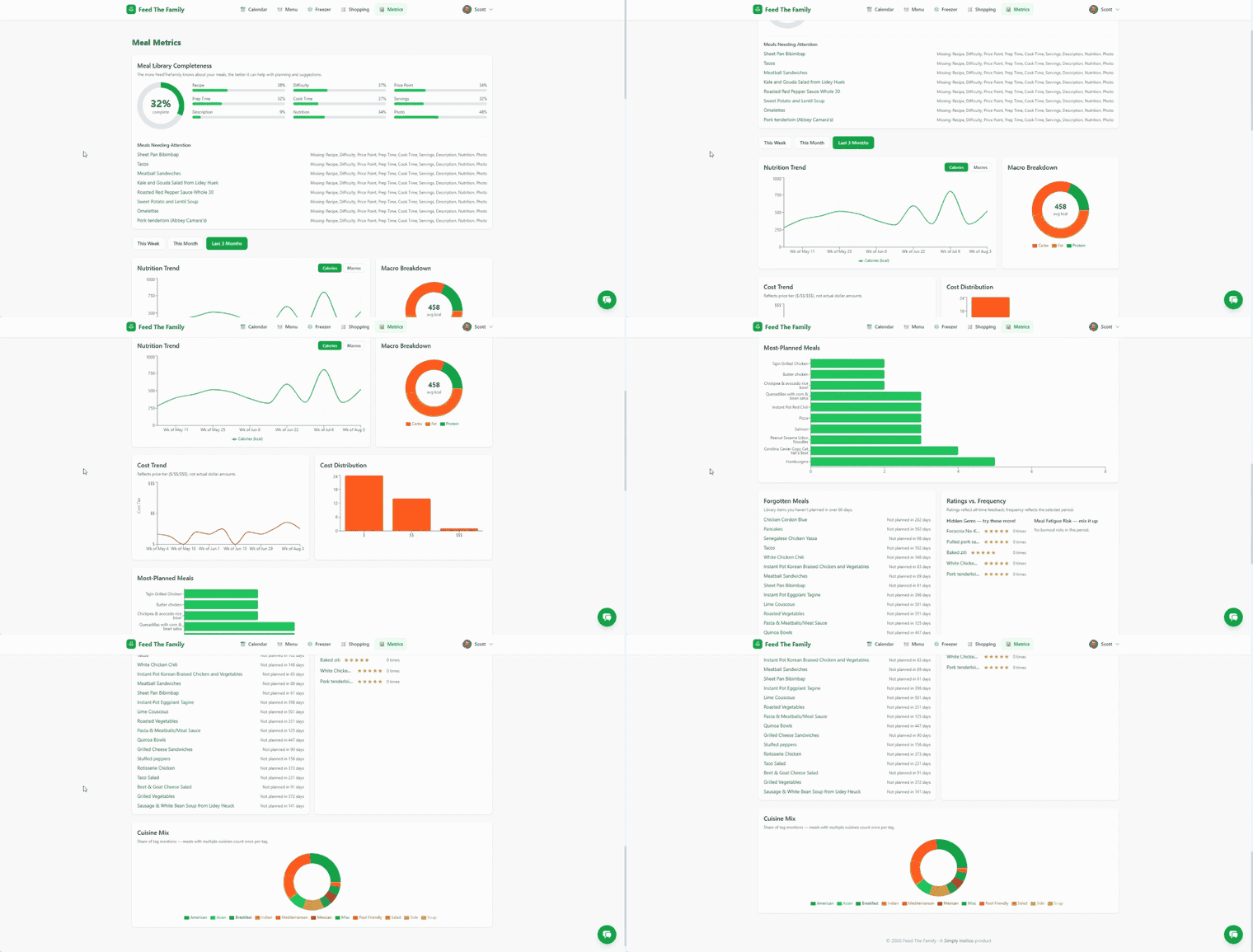
Once your meals and recipes are in the system, Feed The Family can tell you things about your own cooking you didn't have an easy way to see before. For example, it can tell you which meals you eat on repeat and which ones you can revisit when you just need something different. it can help track your nutritional intake over time so that you can reach your dietary goals. And it can help you stay on budget.
Meet Herb, your kitchen assistant
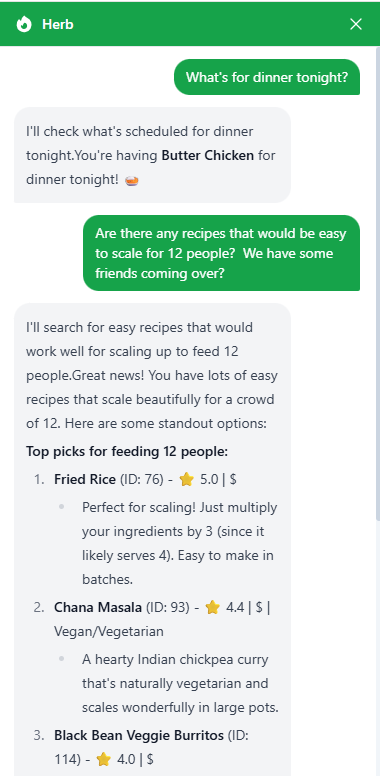
Herb is an AI assistant that lives inside Feed The Family and knows your kitchen — your recipes, your plan, your preferences. You can ask Herb to pull up a recipe and double it because you've got friends coming over. You can ask it what to cook for a vegetarian friend, or which of your recipes would scale easily for a crowd. You can ask Herb for ingredient substitutes when you realize you don't have everything you need for tonight's dinner.
The big one: an MCP server for your kitchen
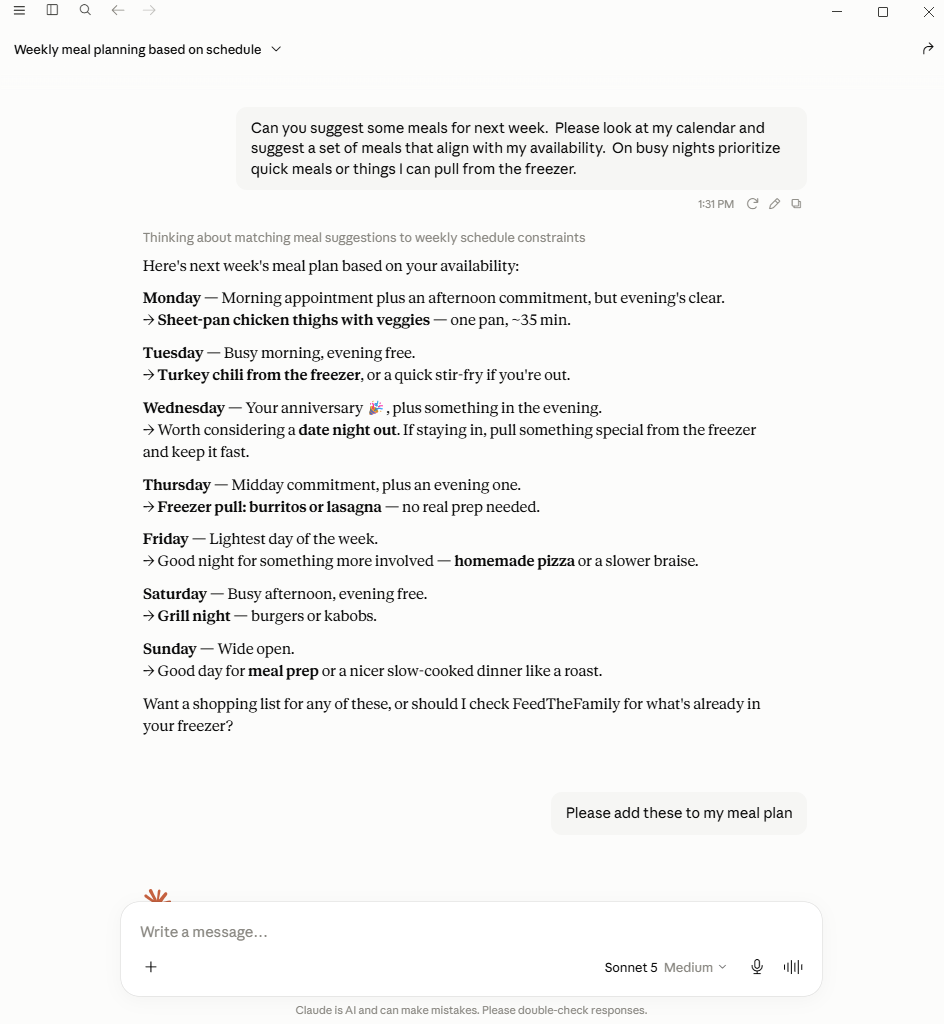
Here's the feature we're most excited about. Feed The Family is one of the first kitchen apps that can be directly connected to your AI assistants like Claude. This is a powerful technique done through something called an MCP server. MCP servers allow you to bring information and capabilities from different systems under the same roof.
This means that Claude can read your Feed The Family data and act on it, right alongside everything else Claude already knows. For example, ask Claude to look at your calendar and your menu items together, and suggest a meal plan where your busiest nights get your fastest meals. You can also do more advanced analytics; for example ask it to build you a chart of your nutrition trends over the last month, and then suggest changes you can make to achieve your dietary goals.
What's coming next
Over the next few weeks, we'll publish a deep dive into each feature above: recipes, import, shopping lists, metrics, Herb, and the MCP server. Be sure to follow us on LinkedIn so you don't miss out on how to leverage these new features to help you feed your family.
If you've been using Feed The Family for a while, this is a good time to log back in and see what's changed. If you haven't tried it yet, there's never been a better time to start.